Every sound on your Mac, tuned.
Eque is a parametric equalizer that lives in your menu bar and shapes all of your Mac’s audio: music, video, games and calls, on speakers, headphones and DACs.
Free with five bands. Pro is a one-time purchase. macOS 14.2 or later.
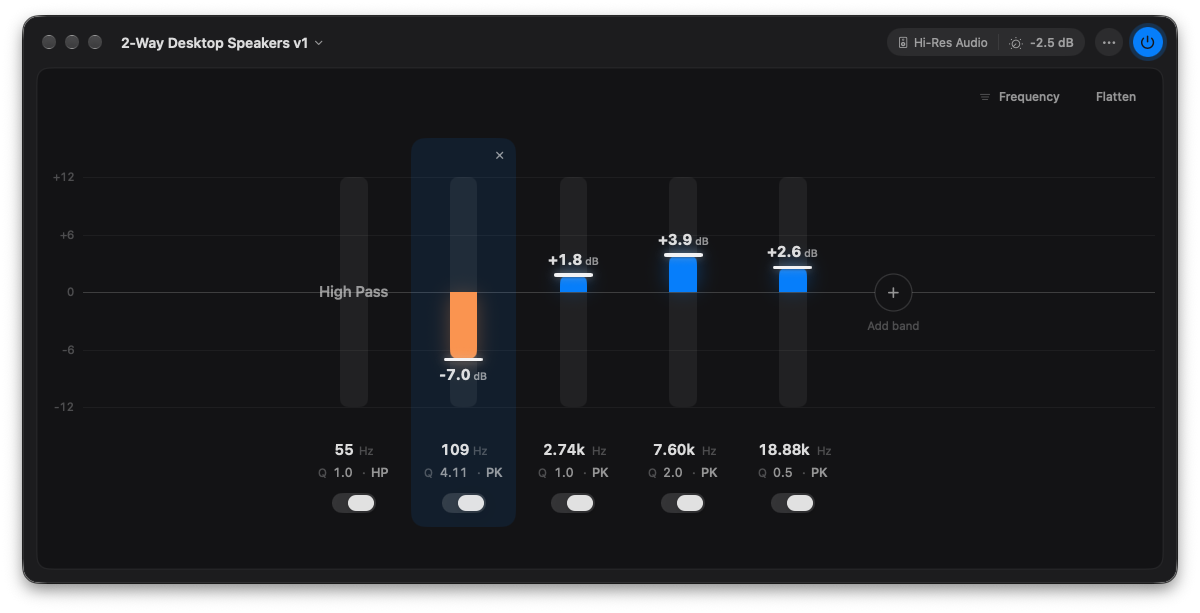 eq-window.png
One EQ for your whole Mac
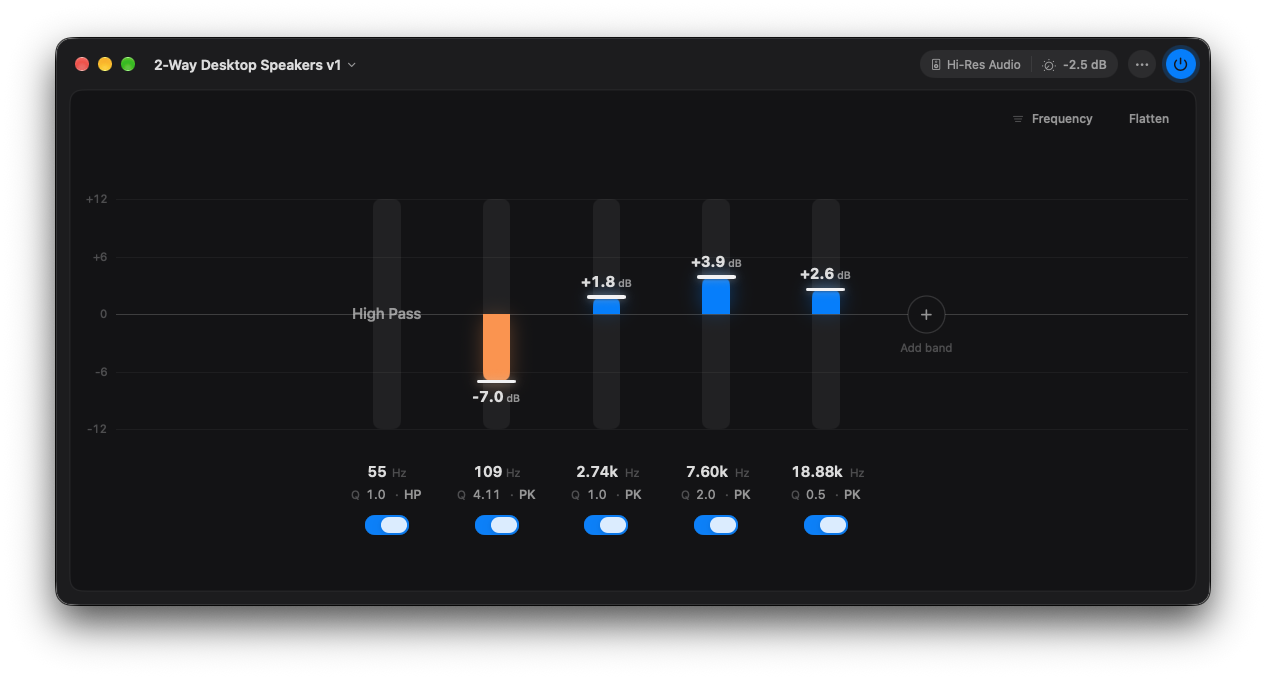
Music app, browser, video call, game: Eque shapes them all at once, through whatever you’re listening on. Switch from speakers to AirPods and your EQ comes with you, or give each output its own curve with Pro.
Precise when you want it, simple when you don’t
- Drag a bar to boost or cut. Hold Option for fine control.
- Type exact values: click any number to set frequency, gain or Q.
- Five bands to start , placed where they matter: low shelf, three peaks, high shelf.
- Pro adds as many bands as you need , plus low-pass, high-pass and notch filters.
- Undo everything: ⌘Z takes back any change, even Reset.
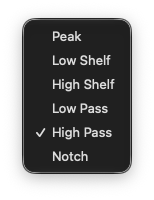 type-menu.png
eq-window.png
type-menu.png
eq-window.png
See the curve, see the music
The Response window shows the exact shape your bands make, side by side with the equalizer. Point at a band in either and it lights up in both.
Switch the Response window to Analyzer to watch what’s playing, before and after your EQ, or to Both to see the curve over the music.
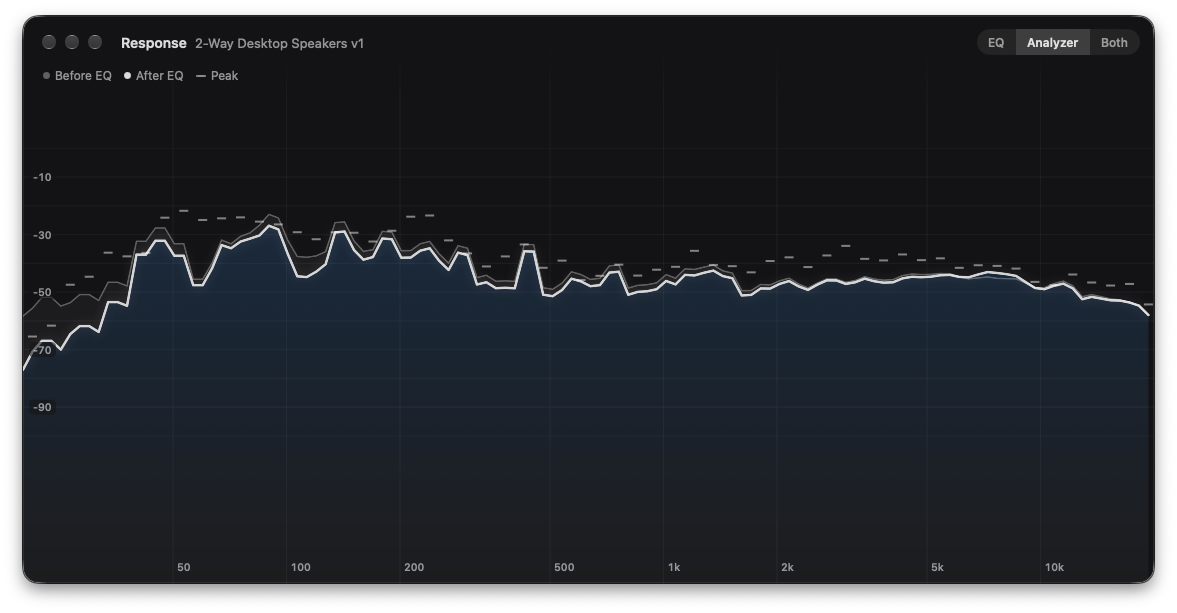 analyzer.png
Your measurements, running system-wide PRO
Already have an EQ? Import it in one step.
- AutoEq headphone corrections (ParametricEQ.txt)
- REW filter exports
- Equalizer APO configs, including separate left and right channels
- miniDSP biquad files
- Sweep : paste a filter set straight in
Eque reads them the way Equalizer APO does, so a correction made for another app sounds the same here.
Import is part of Pro.
Preamp: -6.2 dB
Filter 1: ON LSC Fc 105 Hz Gain 5.5 dB Q 0.70
Filter 2: ON PK Fc 2650 Hz Gain -3.1 dB Q 1.80
Filter 3: ON HSC Fc 10000 Hz Gain -2.4 dB Q 0.70
Headphones sound like headphones. Speakers sound like speakers. PRO
Eque remembers a curve for each output and switches the moment you do. Plug in your DAC, connect AirPods, change to the desk speakers: the right EQ is already on.
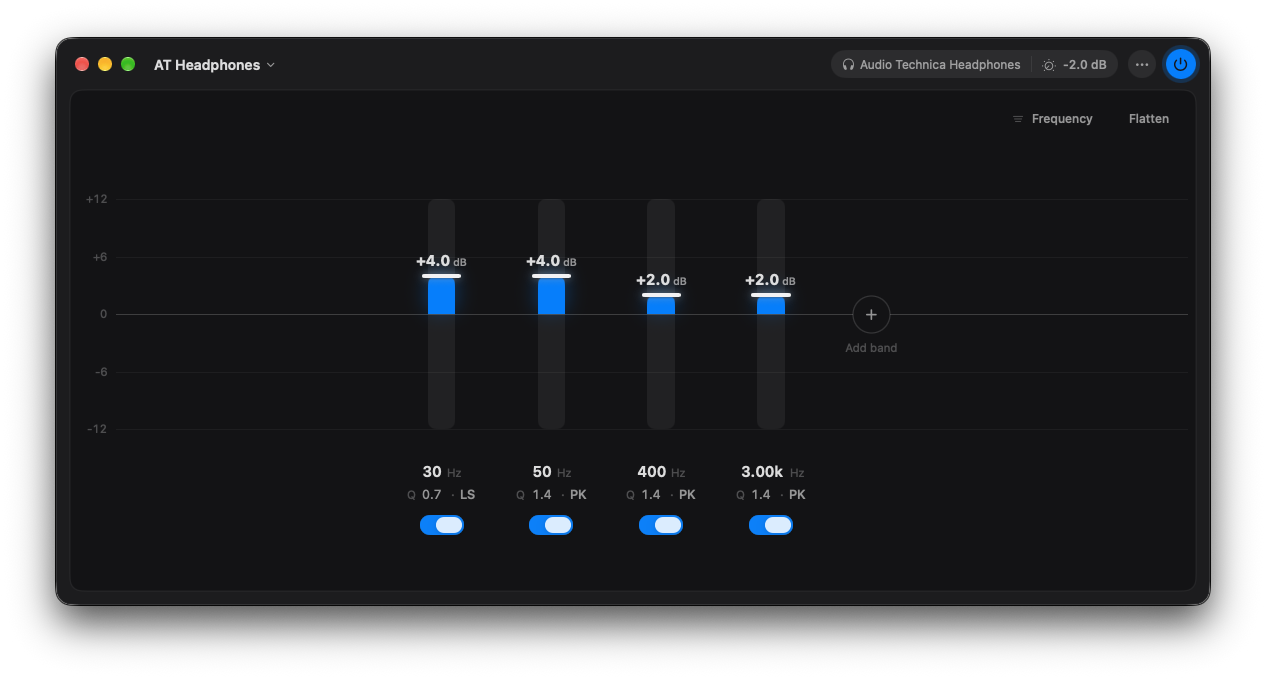 output-headphones.png
 output-speakers.png
Fix one side without touching the other PRO
Give any band to the left or right channel only, and set the balance. Made for room correction, uneven headphones and uneven hearing.
 lr-pills.png
Built to be heard, and to be measured
Untouched when flat
With a flat EQ, Eque passes audio through bit for bit.A fair comparison
Turning the EQ off crossfades to the original at matched loudness, so you hear the difference in tone, not volume.Studio-grade filters
Double-precision processing, stable at every sample rate from 8 to 192 kHz.Headroom handled
Auto preamp lowers the level by exactly your largest boost, so boosts never clip. An orange dot tells you if anything ever goes over.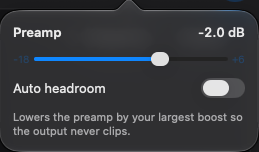 preamp-popover.png
Takes it with you
Export any preset as a ParametricEQ file, or as an impulse response for Roon, CamillaDSP and other convolution players.There when you need it, out of the way when you don’t
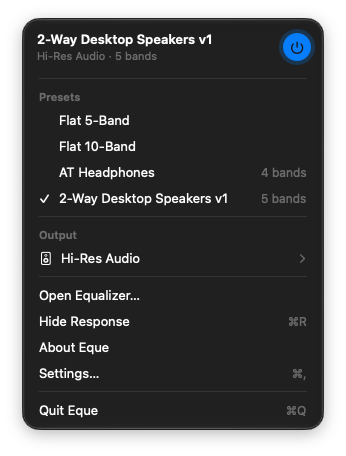
Switch presets, change outputs or turn the EQ off from the menu bar. Set a global shortcut (Pro) to toggle it from anywhere. When nothing is playing, Eque steps back so your Bluetooth headphones can rest, and picks up again with the next sound. It handles sleep, wake and device changes on its own.
 menubar-panel.png
 colors.png
Your colors
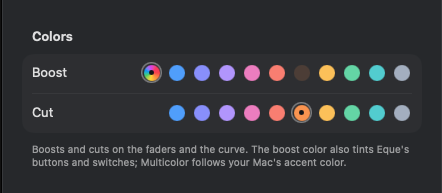
Pick the boost and cut colors from a palette of ten, in Settings.
Your audio stays yours
Eque processes sound live as it plays. Nothing is recorded, stored or sent anywhere, and Eque collects no data.
To reach every app’s audio, Eque needs macOS’s System Audio Recording permission. While the EQ is on, macOS shows a recording indicator in the menu bar. That’s this processing, not your microphone; Eque never uses the microphone.
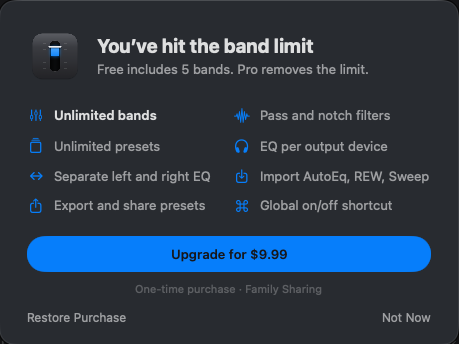
Start free. Upgrade once.
Pro is a one-time purchase of $9.99, with Family Sharing.
| Feature | Free | Pro |
|---|---|---|
| System-wide EQ, menu bar control | ✓ | ✓ |
| Bands | 5 | Unlimited |
| Peak and shelf filters | ✓ | ✓ |
| Low-pass, high-pass and notch filters | — | ✓ |
| Saved presets | 1 | Unlimited |
| Starting points | Flat 5-Band | Flat 5-Band, Flat 10-Band |
| Response window: curve and analyzer | ✓ | ✓ |
| Colors | ✓ | ✓ |
| A curve for each output | — | ✓ |
| Separate left and right EQ | — | ✓ |
| Import AutoEq, REW, Equalizer APO, miniDSP, Sweep | — | ✓ |
| Export presets and impulse responses | — | ✓ |
| Global on/off shortcut | — | ✓ |
Free with five bands.
With Family Sharing.
Launch price: $4.99 through November 30.
 upgrade-sheet.png
Requirements
- macOS 14.2 (Sonoma) or later
- Works with any output: built-in speakers, headphones, USB DACs and interfaces, Bluetooth, AirPlay, HDMI and DisplayPort displays
Questions
Does Eque install a driver or audio device?
No. It uses the system audio API Apple added in macOS 14.2, so there’s nothing to install and nothing left behind if you delete it.
Why does macOS ask for “System Audio Recording”?
That’s the permission any app needs to process your Mac’s audio. Eque uses it to apply your EQ as sound plays. It never records or stores anything.
Why is there a recording indicator in the menu bar?
macOS shows it whenever an app processes system audio. With Eque it means the EQ is on. It isn’t your microphone.
Will it change the sound when the EQ is flat?
No. With a flat EQ, audio passes through untouched, bit for bit.
Can I use my AutoEq correction?
Yes. Import the ParametricEQ.txt file from AutoEq (Pro), and it plays exactly as Equalizer APO would play it.
Does it work with AirPods and Bluetooth headphones?
Yes. With Pro, Eque remembers a separate curve for them and switches automatically.
Is Pro a subscription?
No. One purchase, yours to keep, shared with your family through Family Sharing.
Does Eque work with Sweep?
Yes. Copy a filter set in Sweep and paste it into Eque, and both apps start from the same five default bands.
 eque-icon.png
Make your Mac sound the way it should.
Free with five bands. Pro is a one-time purchase.